🔀 Network
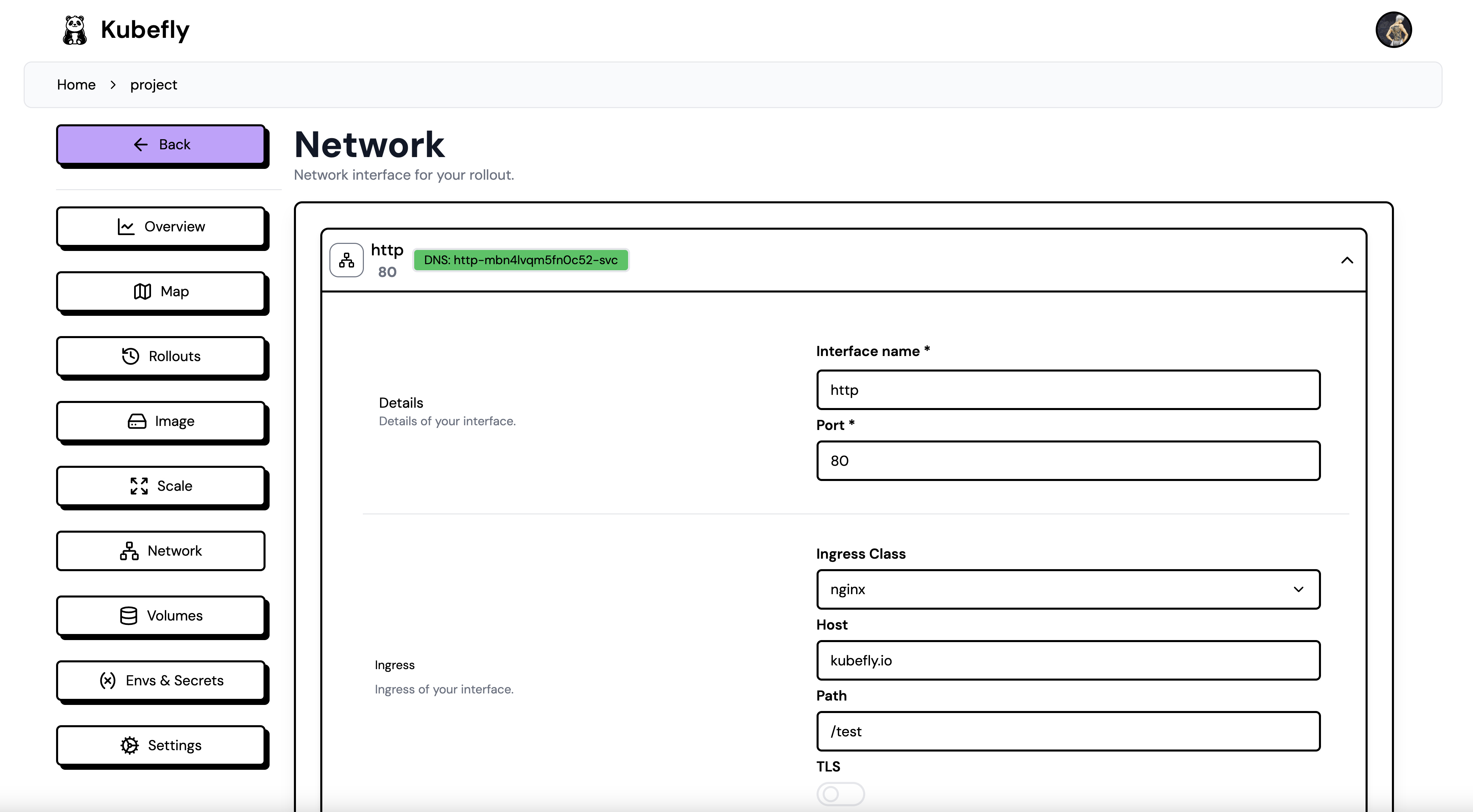
For network configuration, you have several options. You can define as many services and ingress interfaces as you want. The services are internal Kubernetes services, and the ingress is the external access to your services. To create a new network interface, you can click the New Interface button.
You can define the following options:
- Name: The name of the interface, which must be unique within the deployment.
- Port: The port of the interface (taken from your application port defined in the Dockerfile).
- Ingress: The ingress of the interface (the dropdown will show the available ingresses within the Kubernetes cluster).
- Host: The host of the interface (e.g., example.com).
- Path: The path of the interface (e.g., /api, /).
- TLS: Whether to enable TLS (in progress).
The DNS name is the actual Kubernetes Service name in the cluster. You can use this name in other deployments to connect to the service via DNS lookup. (Click the copy icon to copy the name.)
If you set the ingress class to none, remove the host and path, and disable the TLS switch, the ingress will be deleted, and only the service will be created. This is useful if you want to expose the service only internally to other services inside the Kubernetes cluster.